MAIWO
Maiwo USB-C Dual Bay HDD/NVMe M2 SSD 10Gbps Clone Converter, Clone SATA to NVMe
Maiwo USB-C Dual Bay HDD/NVMe M2 SSD 10Gbps Clone Converter, Clone SATA to NVMe
- Fast UK Shipping
- 14 Days Return
- Secure Payment
Couldn't load pickup availability
Share
Description
Description
Key Features
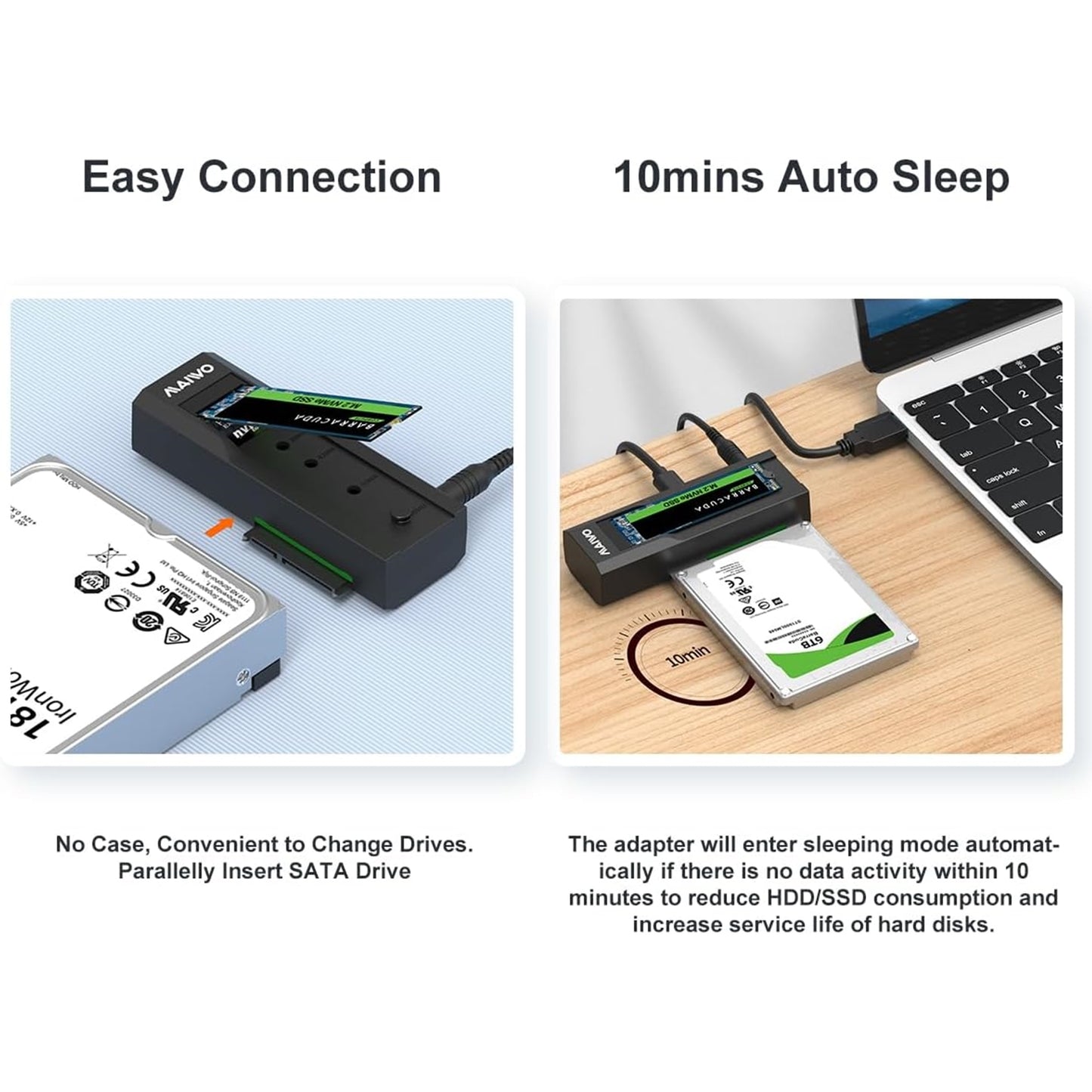
Screw-less design easy to install HDD and SSD
Compatible for different kinds of HDD/SSD in the market, including M-key NVMe SSD,2.5" SATA HDD/SSD and 3.5" SATA HDD, can recognize two disks simultaneously when connecting with PC
Support M-key NVMe SSD
Offline clone, dual way, can copy 2.5"/3.5" SATA => NVMe or NVMe => 2.5"/3.5" SATA, switch to control source and target disk
Four LED lights indicate clone progress 25%,50%,75% and 100%
Interface: Type C to SATA/M-key M2
Support SSD size: 2230,2242,2260 ,2280
USB speed to 10Gbps max
Support U.A.S.P, will improve speed 30% at win8 or above
Compatible with windows, MAC and Linux
Unit size:108 x 35 x 24 mm
Clear Indicator Light
Drive Indicatior
Light Flashes when read & write, light goes off when in sleep mode.
Clone Indicator
Light flashes when cloning, light up when cloning is finished.
Step 1
Insert 2.5"/3.5" SATA drive into the SATA Port, or insert M.2 NVMe SSD into the M2 port.
Step 2
Spin the silicone cork to fix the M.2 hard drive.
Step 3
Connect the adapter to your device via data cable.
Step 4
Connect the power adapter and open the power switch.
Clone Operation Steps
Step 1
Choose the clone mode
Make sure the capacity of the target drive is larger than or equal to the source drive
Connect the power adapter, open the POWER switch, the power light, lights up and then the two Drive Indicators light up
Step 2
Long-press Clone button for 5 seconds and the Clone Indicator flashes
Press Clone button within 5 seconds to enter clone mode
Corresponding progress indicators start to flash when cloning
Indicators are on once cloning is finished
Note:
You must remove the USB-C cable from the PC for the cloning process to work
Box Contents
Package Content:
1 x adapter
1 x cable
1 x power adapter
3 x screws
1 x manual
1 x warranty card
Warranty
1 Year
Specifications
Specifications
- HD Size: 2.5 & 3.5
- Internal Connection: SATA III
- External Connection: USB Type - C
Shipping & returns
Shipping & returns
Fast UK Shipping
We offer quick order processing within 1–2 working days across the UK. Order before 3:00 PM GMT/BST on weekdays for same-day processing.
Once the order is processed, the following options indicate respective delivery times.
Delivery Options:
- Basic: Free | 2–5 business days
- Standard: Free over £100 / £4.99 under £100 | 2–3 business days
- Express: £4.99 | 1–2 business days
- Premium Next-Day: £7.99 | Next business day.
Note: Delivery times are estimated and may vary due to courier delays or weather.
Hassle-Free Returns
Changed your mind? You can return unused items in original packaging within 14 days of delivery.
To request a return, email contact@lazymart.co.uk. We’ll provide instructions on how to proceed with a return. Refunds are processed within 5 business days after inspection.
Damaged or Incorrect Orders
If your item arrives damaged or incorrect, contact us within 24 hours with photos for a quick resolution.
Shipping & Returns Policies
For more details, view our Shipping Policy and Return Policy.
FAQs
FAQs
No FAQ to show here.